
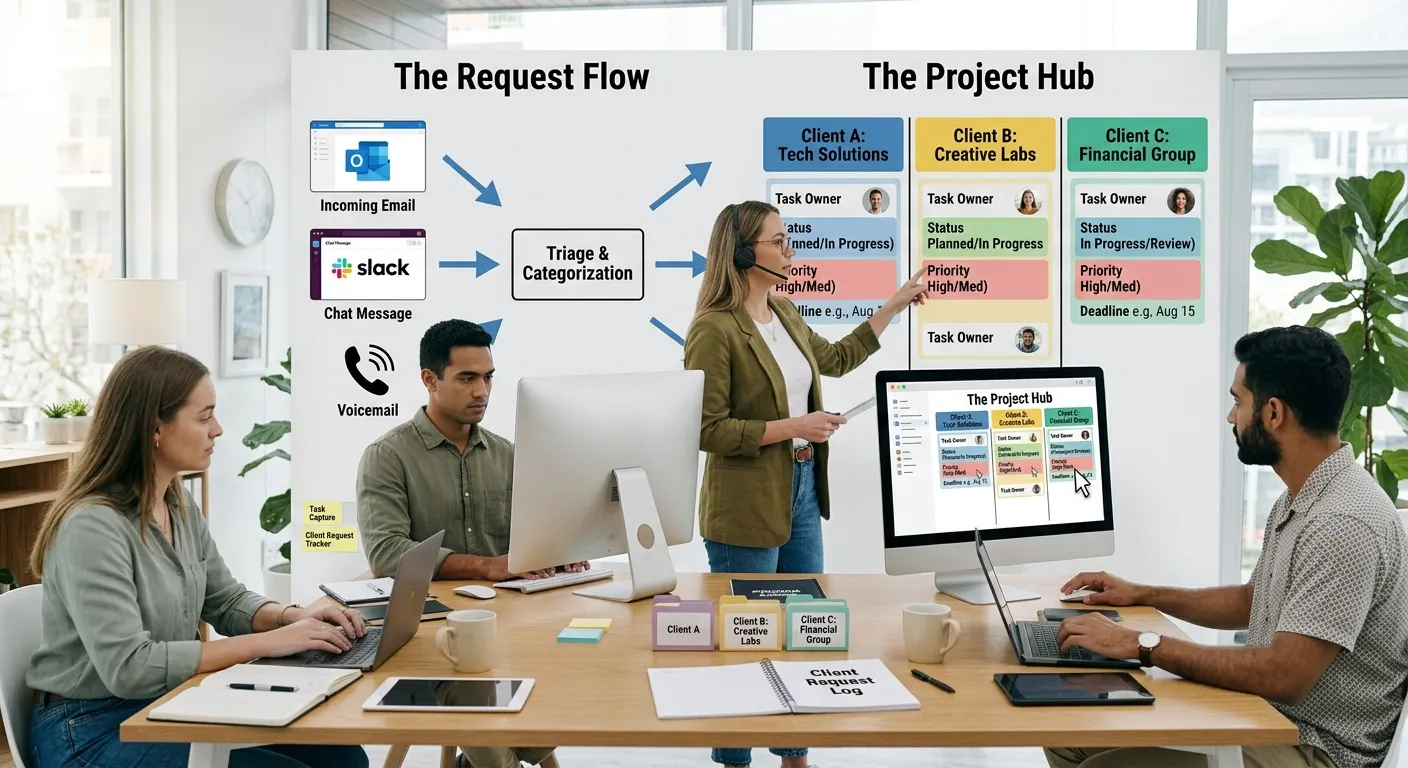
A client sends a message asking for a change. You read it, intend to deal with it later, another project demands attention, and a few days later the client asks why the request hasn't been done.
You apologize, scramble to fit it in, and the deadline slips.
This isn't carelessness. It's a workflow problem. The request existed only as a message in a conversation. It never became visible project work. No one was assigned to it. No deadline was set. No status was tracked.
And so it slipped through the cracks.
Client requests slip through the cracks all the time. Not because people don't care, but because the system for capturing and managing them is unreliable.
Why Client Requests Slip Through the Cracks So Easily

Client requests usually arrive through whatever channel the client prefers. Email. WhatsApp. Project comments. Meeting notes. Phone calls. Video calls. Informal conversations. None of these are inherently bad. The problem is that the request exists in one place while the actual project work exists somewhere else.
The designer is in Figma. The developer is in their code editor. The project manager is in their task system. The client's request is sitting in a chat thread that nobody has looked at for three days.
This disconnect creates a predictable chain:
Request → forgotten → work not scheduled → client follows up → team scrambles → deadline moves
Each step is understandable. But the result is frustration on both sides.
The Difference Between a Message and an Actionable Request
Not every client message requires action. Some are just conversation. Others are information. But many contain an implicit request that needs to become work.
A message that says "The homepage feels a bit cluttered" is feedback. It might lead to changes, but it's not a specific request. A message that says "Can you move the CTA section above the fold?" is an actionable request. Someone needs to do something because of that message.
The distinction matters because treating everything as a task creates clutter. Treating nothing as a task loses work.
A useful question to ask: Does someone need to do something because of this message? If yes, it probably needs to become visible project work. If it's simply information, acknowledgment, or conversation, it may not.
What Should Become a Task and What Shouldn't
Actionable client requests usually fall into a few categories:
Direct Requests
"Please add the pricing section to the page."
"Can you update the logo on the homepage?"
These are clear. They need to become tasks with ownership and deadlines.
Feedback That Implies Action
"The current version feels too crowded."
"The color scheme doesn't match our brand."
These require interpretation. The feedback needs to be clarified before work can begin. What exactly feels crowded? What colors should be used instead?
Questions
"Can we use the previous logo?"
"Do we have the final copy for this section?"
These might not require work, but they do require a response. If the response leads to action, it should be captured.
Approvals
"Yes, this version is approved."
"Please proceed with the final design."
Approvals are important because they move work forward. They should be tracked so everyone knows a decision has been made.
Not everything needs a task. But everything that requires someone to do something needs to be captured somewhere.
How to Build a Simple Client-Request Workflow
The goal isn't to create bureaucracy around every client message. The goal is to make sure actionable requests become visible work.
A practical workflow looks like this:
Client communicates request → request is captured → request is clarified if necessary → task is created → owner is assigned → priority and deadline are established → work is completed → client is informed or approval is requested
This doesn't need to be complicated. For a freelancer, it might mean copying a client's request from email into their task list and assigning it to themselves. For an agency, it might mean a project manager capturing requests during calls and adding them to the project system.
The key is having a habit of capturing, not just reading.
Keeping Requests Connected to the Right Project
One of the biggest mistakes is creating an isolated list of "client requests" with no project context.
A separate to-do list might contain twenty requests from ten different clients. If you can't tell which request belongs to which project, you're working blind. Requests should be connected to the specific project they relate to. This gives them context what stage is the project in? What's already been done? What's waiting on the client?
When a request is connected to its project, it's much harder to lose track of. You can see it alongside the work it affects.
Tracking Feedback, Questions, Requests and Approvals Separately
Different types of client communication serve different purposes. Mixing them all together creates confusion.
A project channel where everything lives requests, feedback, questions, approvals, general chat becomes a noise factory. Important information gets buried.
A clearer approach is to give different types of communication their own spaces.
Requests need to become tasks with owners and deadlines.
Feedback needs to be seen by the person doing the work, but it might not require immediate action.
Questions need answers. If a question stays unanswered, work can't progress.
Approvals are decisions that unblock work. Everyone needs to know when something has been approved.
When these are separated, it's easier to see what needs attention. You're not scanning through conversation to find action items.
How Poorly Tracked Requests Contribute to Scope Creep
Scope creep doesn't always arrive as a dramatic request. Sometimes it's a series of small changes that accumulate over time.
A client asks for one small adjustment. You do it. They ask for another. You do that too. A few weeks later, you realize the project has expanded significantly from what was originally agreed. The problem isn't that clients are intentionally trying to add free work. The problem is that requests are handled informally, and nobody is tracking them.
When every request is captured and visible, it becomes much easier to have a conversation about scope. You can see what was originally agreed. You can see what has already been requested. You can see what's a revision and what's genuinely new work.
This isn't about being difficult with clients. It's about having a clear record so you can have honest conversations about what the work actually involves.
Where KaamFlow Fits
If a client request only exists inside a conversation, the person doing the work may never see it. If the request becomes visible project work with an owner and status, it becomes much harder for the request to disappear.
This is where a centralized project management system helps.
KaamFlow is designed to keep client requests connected to the actual project work. When a request comes in, it can be captured and organized alongside the project it relates to. It becomes a task with an owner, a status, and a deadline not just a message buried in a conversation.
Different types of client interaction can be organized through areas such as Requests, Feedback, Questions, and Approvals. This means feedback doesn't get lost in general chat. Questions don't go unanswered. Approvals don't slip through the cracks.
Team members see the work that needs to happen instead of relying entirely on messages being passed between people. Client-facing updates and internal project work stay organized rather than mixing everything into one conversation.
The realistic workflow with KaamFlow is:
Receive request → capture it in the project system → organize it → assign it → track it
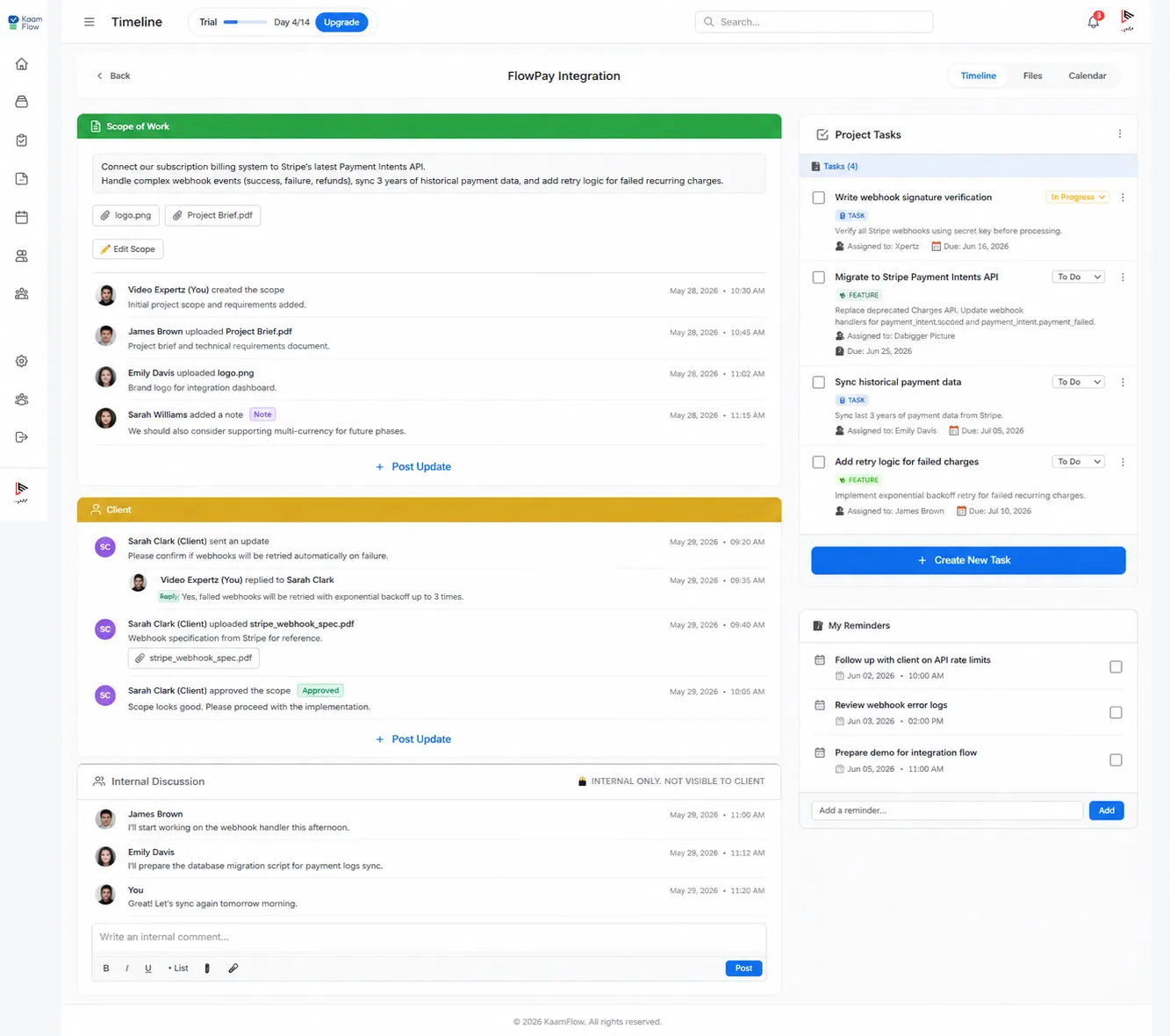
The value is having a reliable place where the request lives after it has been captured. It's not about automation. It's about creating a visible record of what needs to be done.
A Simple Workflow You Can Start Using Today
Even without a dedicated tool, you can create a better system for managing client requests.
1. Capture Every Actionable Request
Don't rely on memory. If a client asks for something, write it down. Immediately. Not later. Later is when things get forgotten.
2. Put It in the Correct Project
Don't create a master list of "client requests." Put each request in the context of the project it affects.
3. Clarify Unclear Requests
Don't assign work when nobody understands what the client actually wants. Ask follow-up questions before work starts.
4. Give the Request an Owner
Someone should be responsible for moving it forward. If you're a freelancer, that's you. If you're in a team, assign someone.
5. Decide Whether It Changes the Scope or Schedule
Not every request is a scope change. But when you see requests accumulating, it's worth checking whether the project is still what was agreed.
6. Track Its Status
The request shouldn't disappear after it's assigned. It should be visible until it's done. Then it should be marked complete.
7. Close the Loop with the Client
When appropriate, tell the client what happened, ask for approval, or confirm that the request has been completed.
This process should feel lightweight. It's not about creating paperwork. It's about making sure nothing important falls through the cracks.
Conclusion
Client requests slip through the cracks because they exist as messages instead of work. The message is read, the intention is there, but without a reliable way to capture and track it, the request eventually disappears from view.
The solution isn't to ask clients to send fewer requests. It's to create a workflow that turns requests into visible, actionable work.
When requests are captured, connected to the right project, assigned to someone, and tracked until completion, they stop being lost.
The system doesn't need to be complex. It just needs to exist. Whether you use a dedicated tool like KaamFlow or a simple spreadsheet, the principle is the same: client requests belong in the project, not in someone's memory.