
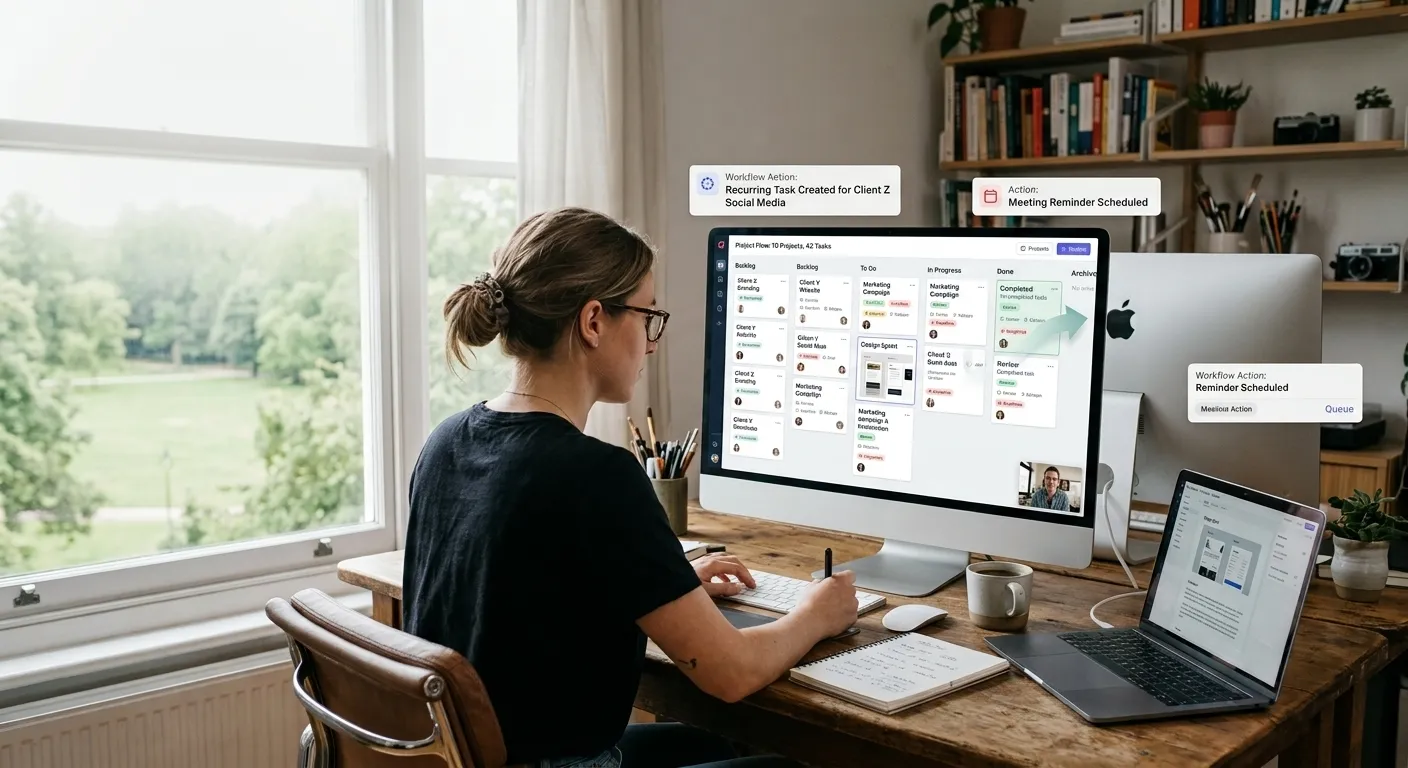
People often think they're losing time because they have too much work. And sometimes that's true. But more often, the bigger problem is that they keep doing the same small actions over and over again.
Checking deadlines. Sending follow-ups. Updating statuses. Creating tasks. Assigning work. Moving things from one stage to the next. Asking people where things stand. None of these actions are difficult. They take maybe a minute or two each time. But they happen dozens of times a day, across multiple projects and clients. And over the course of a week, they can consume hours of time that could have been spent on actual work.
The question isn't whether you have repetitive tasks. You do. Everyone does. The question is which ones are worth removing from your day.
The Hidden Cost of Repetitive Work
Repetitive administrative and coordination work is dangerous not because it's hard, but because it's invisible.
When you spend three minutes sending a follow-up email to a client, you don't think of it as a cost. It's just part of the job. But when you send ten follow-ups a week, that's thirty minutes. When you update statuses on fifteen projects every few days, that's more time. When you recreate the same project structure for every new client, that adds up too.
These small actions accumulate. They become a tax on your time that you barely notice. The problem is worse for freelancers, who have to handle both production work and business administration. And it's worse for agencies, where multiple people are performing these actions across multiple projects.
What makes it frustrating is that most of this work doesn't require your judgment or expertise. It's just procedural. Yet it takes up space in your day and your head.
Why Small Repetitive Tasks Consume More Time Than Expected
There's a reason these tasks consume so much time beyond their actual duration. It's not just the action itself. It's the switching.
Every time you stop what you're doing to send a reminder, update a status, or check a deadline, you interrupt your focus. Research on this is consistent it takes time to regain deep concentration after a disruption.
The three-minute follow-up doesn't cost three minutes. It costs three minutes plus the time it takes to get back into your work.
This is why automation matters. Not because it saves a few minutes here and there, but because it removes those interruptions entirely. When a system handles the follow-up, you don't have to stop what you're doing. You stay in your work.
What Kinds of Work Are Good Candidates for Automation
Not everything that's repetitive should be automated. Some tasks still need a person involved. But there's a useful way to think about what can be handed off to a system.
Good candidates for automation usually have these characteristics:
They happen frequently. If you do something once a month, it's probably not worth automating. If you do it daily or weekly, it's worth looking at.
They follow roughly the same process each time. The steps don't change much from one instance to the next. There might be small variations, but the core structure is predictable.
They require little judgment. You're not making creative decisions or navigating complicated situations. You're executing a straightforward process.
They're easy to define with clear conditions. You can describe exactly what triggers the task and what happens next.
Mistakes caused by automation would be easy to catch. The consequences of something going wrong are low, or at least visible enough that you'd notice quickly.
Tasks that involve unusual client situations, creative decisions, sensitive communication, or complicated judgment should generally stay under human control. Automation is about removing the predictable friction, not replacing the parts of work that actually need you.
What Freelancers Can Automate
Freelancers often carry the heaviest administrative burden relative to their actual production work. You're doing the work, managing the client, handling the finances, and keeping everything organized. There's no team to share the load.
Some of the most useful automation for freelancers involves standardizing recurring processes.
Onboarding New Clients
Every new client goes through a similar process. Contracts, briefs, access to tools, initial tasks, deadlines. Instead of recreating this from scratch each time, you can have a template that sets up the basic structure automatically.
Recurring Workflows
If you do the same type of project repeatedly say, a monthly social media package or a weekly newsletter—the steps are consistent. Creating the tasks, setting deadlines, and assigning work can be automated so you don't have to rebuild it every cycle.
Follow-ups and Reminders
Clients often need reminders for feedback, approvals, or missing information. Instead of manually tracking who needs to hear from you and when, a system can handle this. You set the trigger, it sends the reminder.
Status Updates
If you're regularly sending project status updates to multiple clients, you're spending time compiling information that already exists. A system that surfaces project status automatically can reduce the time spent assembling updates.
The goal isn't to remove your involvement. It's to remove the predictable administrative work so you have more time for the work only you can do.
What Agencies and Teams Can Automate
Agencies face a different set of challenges. Multiple people, multiple projects, and multiple stages of work. The coordination overhead is larger.
Task Assignment
When a project moves from one stage to the next, someone needs to know that it's ready. Instead of a manager manually notifying everyone, a workflow can automatically assign the next task to the right person.
Stage Transitions
A project moves from design to development to review to delivery. Each transition requires handoff. Automating the notification and assignment reduces the friction between stages.
Recurring Tasks
Agencies often have recurring work monthly reports, retainer deliverables, regular check-ins. These can be set up to repeat automatically, removing the need to remember and recreate them.
Overdue and Upcoming Work
Instead of someone manually checking what's overdue or approaching a deadline, a system can flag these automatically. The team can see what needs attention without someone having to compile the list.
Internal Handoffs
When work moves between team members, there's often a gap. The first person finishes, but the second person doesn't know it's ready. Automating the notification and assignment closes that gap. The value here is not just time saved. It's also the reduction in mental overhead. Team members don't have to wonder what's coming next or who's waiting on them. The system makes it visible.
Automation in Outsourced and Remote Teams
Outsourcing and remote work introduce additional coordination challenges. People are in different locations, working on different schedules, and often communicating asynchronously.
The problem isn't communication itself. It's the chasing.
A business hires a freelancer for a specific part of a project. The freelancer needs clear instructions. The business needs visibility. Without good systems, this creates a loop of follow-ups business asks for progress, freelancer asks for clarification, business asks for updates.
Automation can reduce this chasing without reducing communication.
Clear Instructions and Requirements
When a project is standardized, the instructions don't need to be recreated each time. The system provides the same structure, the same requirements, the same expected deliverables. The freelancer knows what's expected without having to ask.
Progress Visibility
Instead of managers having to check in with freelancers to get status updates, a shared system makes progress visible. Everyone can see what's been done, what's in progress, and what's next.
Deadline Reminders
Freelancers and remote team members often work across different time zones or schedules. Automated reminders for upcoming deadlines help everyone stay aligned without someone having to manually notify them.
Handoff Notifications
When work moves from one person to another say, from a freelancer to an internal team member an automated notification removes the need for someone to manually coordinate the transition. The goal is less chasing, not less communication. The communication that happens becomes more meaningful because it's about the work, not about where the work stands.
What Should NOT Be Automated
This is important. Automation is useful, but it has limits.
Some things should stay in human hands, even if they're repetitive.
Client communication that requires judgment. A reminder is fine. A sensitive follow-up about a missed deadline probably needs a human touch. Knowing when to push and when to give space is a judgment call.
Creative decisions. Design, writing, strategy, problem-solving these require people. Automation can support the process, but it shouldn't be making the decisions.
Complex or unusual situations. When something doesn't fit the standard pattern, it needs human attention. Automation works for predictable processes. It struggles with exceptions.
Relationship management. Clients, freelancers, and team members are people. Automation can support the administrative side, but it can't replace the human aspect of managing relationships.
The best approach is to automate the procedural parts of your work and keep the human parts human.
How to Find Your Biggest Time Leaks
If you want to identify what to automate, start by noticing what you do repeatedly.
For one week, pay attention to the small administrative actions you take:
-
What do you check every day?
-
What do you have to remind people about?
-
What do you recreate or rewrite regularly?
-
What do you have to ask others about?
-
What takes up time but doesn't require your judgment?
Once you identify these actions, ask:
-
Does this happen often enough to be worth automating?
-
Is the process predictable?
-
Could a system handle it without creating problems?
You don't need to automate everything at once. Start with one or two things that are clearly repetitive and low-risk. See how much time it saves. Then look for the next opportunity.
Where Project-Management Tools Like KaamFlow Reduce Repetitive Coordination
A lot of the repetitive work in freelancing and agencies is coordination work. Task creation, assignment, status updates, deadline tracking, follow-ups these are the administrative actions that surround the actual work.
A project management platform can reduce this coordination work by keeping project information in one place and automating predictable actions.
KaamFlow is built around this idea. It gives you a single place to manage clients, projects, tasks, and deadlines. Instead of work being scattered across emails, spreadsheets, and chat tools, everything is organized by project.
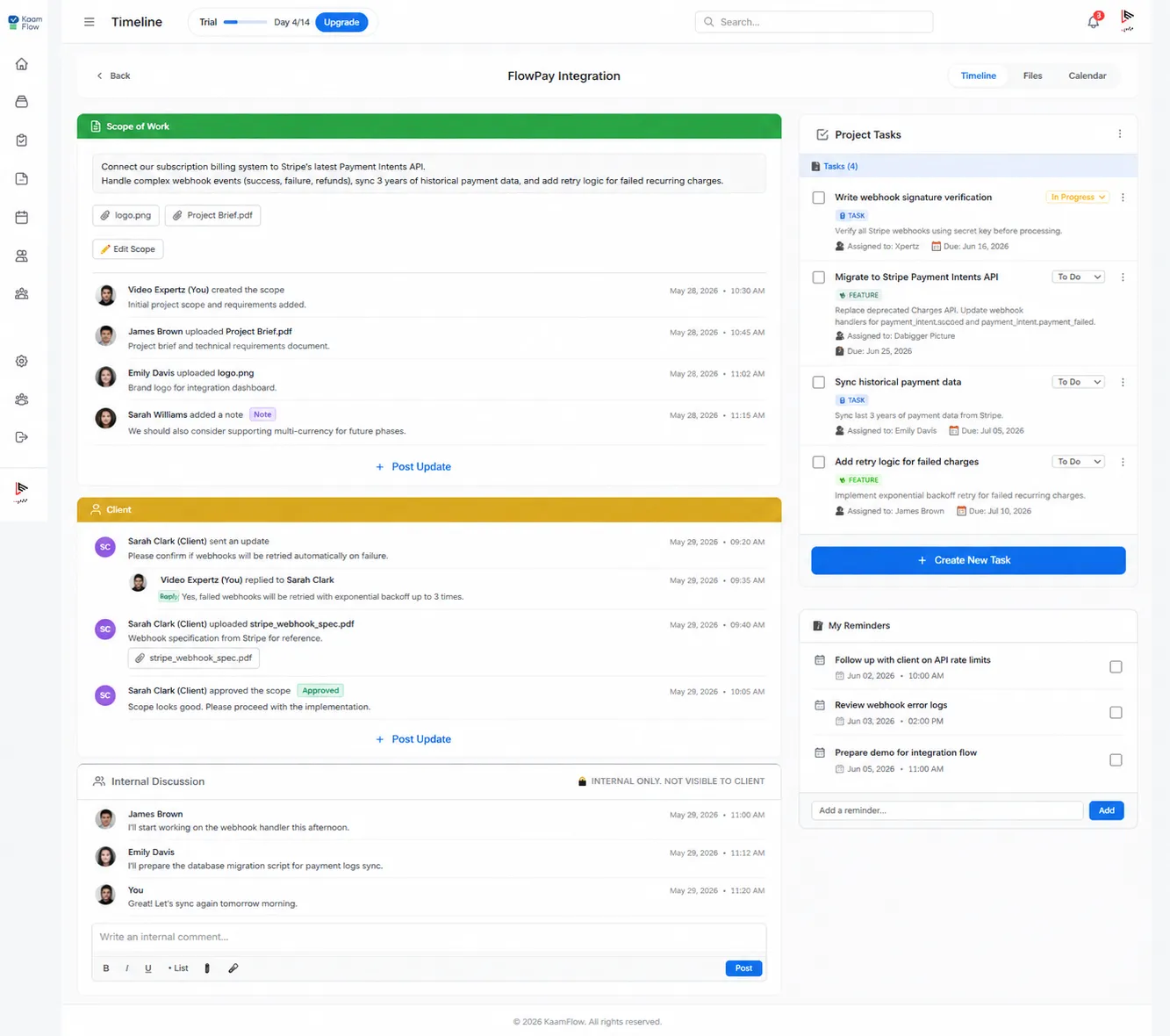
Here's how that reduces repetitive work:
Recurring tasks and workflows. If you run the same type of project repeatedly, you can set up the task structure once and reuse it. No need to recreate tasks every time.
Task assignment and ownership. When work moves from one stage to the next, the system can assign tasks to the right person automatically.
Status tracking. Instead of manually updating spreadsheets or sending status emails, the team can see project status at a glance.
Deadlines and reminders. Approaching deadlines are visible. Overdue work is flagged. You don't have to manually check everything.
Centralized project information. Everything related to a project is in one place. No searching through emails or chat threads.
Visibility across multiple projects. A single view of all your clients and projects means you don't have to check each one individually.
KaamFlow isn't about replacing the work. It's about removing the administrative friction so you can spend more time on the work that actually needs you.
The "10+ Hours" Idea
Can automation save ten hours a week? For some people, yes. For others, it might be less. The specific number depends on how much repetitive work you currently do.
The real point isn't the number. It's the idea that small actions add up.
If you spend five minutes a day on follow-ups, that's about thirty minutes a week. If you spend ten minutes updating statuses across projects, that's an hour. If you spend time recreating tasks, checking deadlines, and manually assigning work, that accumulates too.
These aren't huge amounts of time individually. But they're regular. They happen week after week. And they're often unnecessary.
The goal is to identify your own time leaks and remove them. Whether that saves five hours, ten hours, or more, the result is the same: more time for work that matters.
Conclusion
The point of automation isn't to make people unnecessary. It's to make the predictable parts of work predictable, so people can focus on the work that actually needs them. Freelancers shouldn't have to spend hours on administration when they could be doing production work. Agencies shouldn't have team members constantly chasing updates and recreating tasks. Remote teams shouldn't lose time to coordination gaps that systems could handle automatically.
Start with what's repetitive. Look for what you do over and over. Then ask whether a system could handle it without losing anything important.
That's how you reclaim time. Not by working harder, but by removing the work that shouldn't need a person in the first place.