
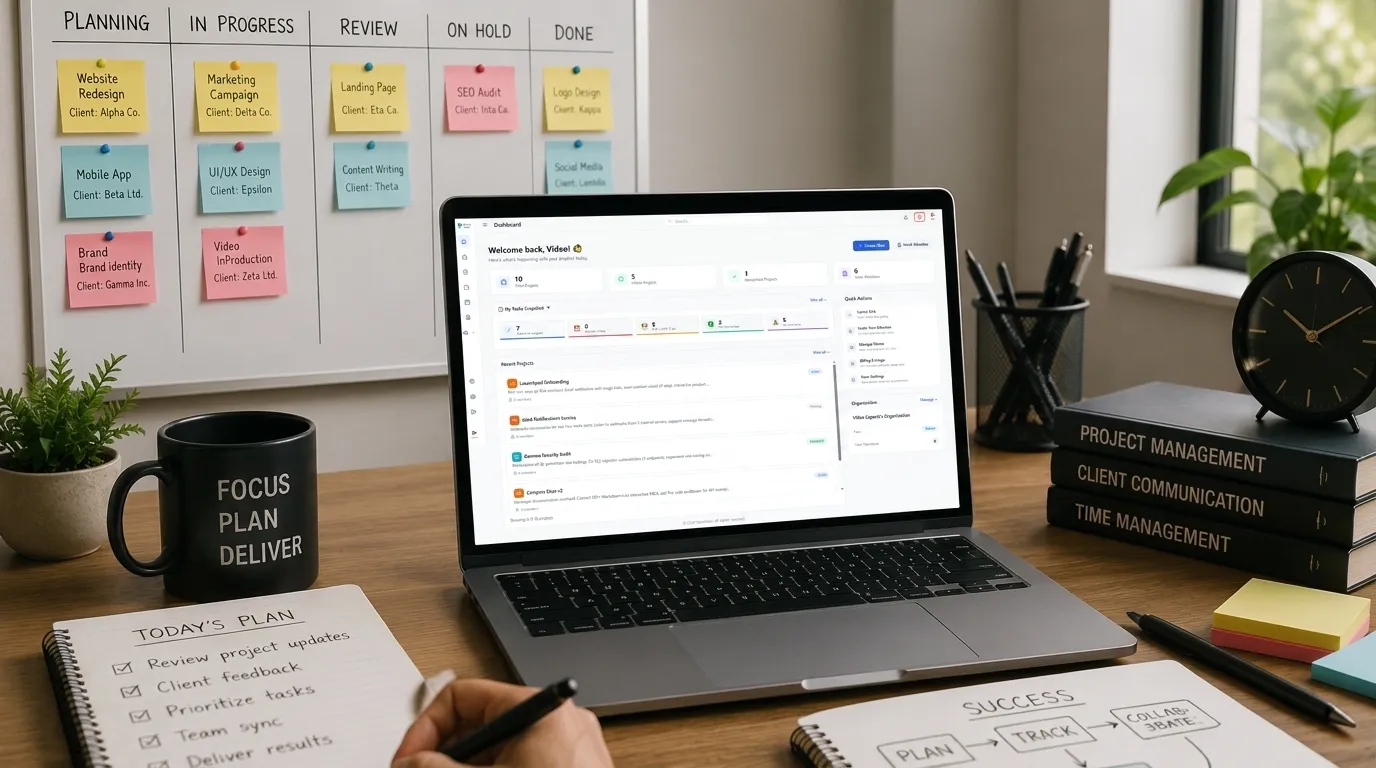
You finish a deliverable for Client A, send it over, and immediately a Slack message comes in from Client B with an urgent request. While you're handling that, you remember Client C's deadline is next week and you haven't checked in on their feedback. Meanwhile, Client D's monthly retainer work is sitting there, and you're supposed to send them something by Friday.
This is the reality of managing multiple client projects. It's not that you're disorganized. It's that you're trying to hold several different sets of commitments in your head at the same time. And the human brain is not built for that.
The problem isn't a lack of effort. The problem is that your attention is divided between too many unrelated streams of work, and each one has its own deadlines, priorities, and people attached to it.
Let's talk about what actually works when you have to manage several clients at once,not a list of productivity platitudes, but a practical way to keep track of what's happening across all of them.
The Difference Between Having a To-Do List and Managing Projects
A to-do list is fine for personal tasks. It works when you have a handful of things to get through and they're all roughly the same type of work.
Client projects are different. Each project has multiple tasks, dependencies, waiting periods, and people involved. A single line item that says "Client A website updates" doesn't capture whether you're waiting on content from the client, whether the design is approved, or whether there's a blocker that's going to push the timeline.
Managing multiple projects means tracking not just what you need to do, but what's happening around each piece of work. That includes:
-
What you're actively working on
-
What you're waiting for from the client or others
-
What's blocked and why
-
What needs to happen next but isn't urgent yet
-
What deadlines are approaching
If you're trying to keep all of this in your head, you will forget things. Not because you're careless, but because there's too much to hold onto.
One Place for Everything
The first thing to get right is having a single place where all your project information lives. A dashboard that shows everything,all your clients, their projects, current status, and what needs attention next. Not buried in folders or scattered across email threads.
If client requests come in through email, some tasks are tracked in a spreadsheet, deadlines live in your calendar, and follow-ups are scattered across notes, you're working against yourself. Every time you need to know the status of a project, you have to check multiple places. That takes time and mental energy. And it increases the chance that something falls through the cracks.
The specifics don't matter as much as the principle. It could be a dedicated project management tool, a well-structured spreadsheet, or even a paper notebook. What matters is that everything related to your client projects is in that one place. If someone asks you for a status update, you should be able to look at one system and see everything you need.
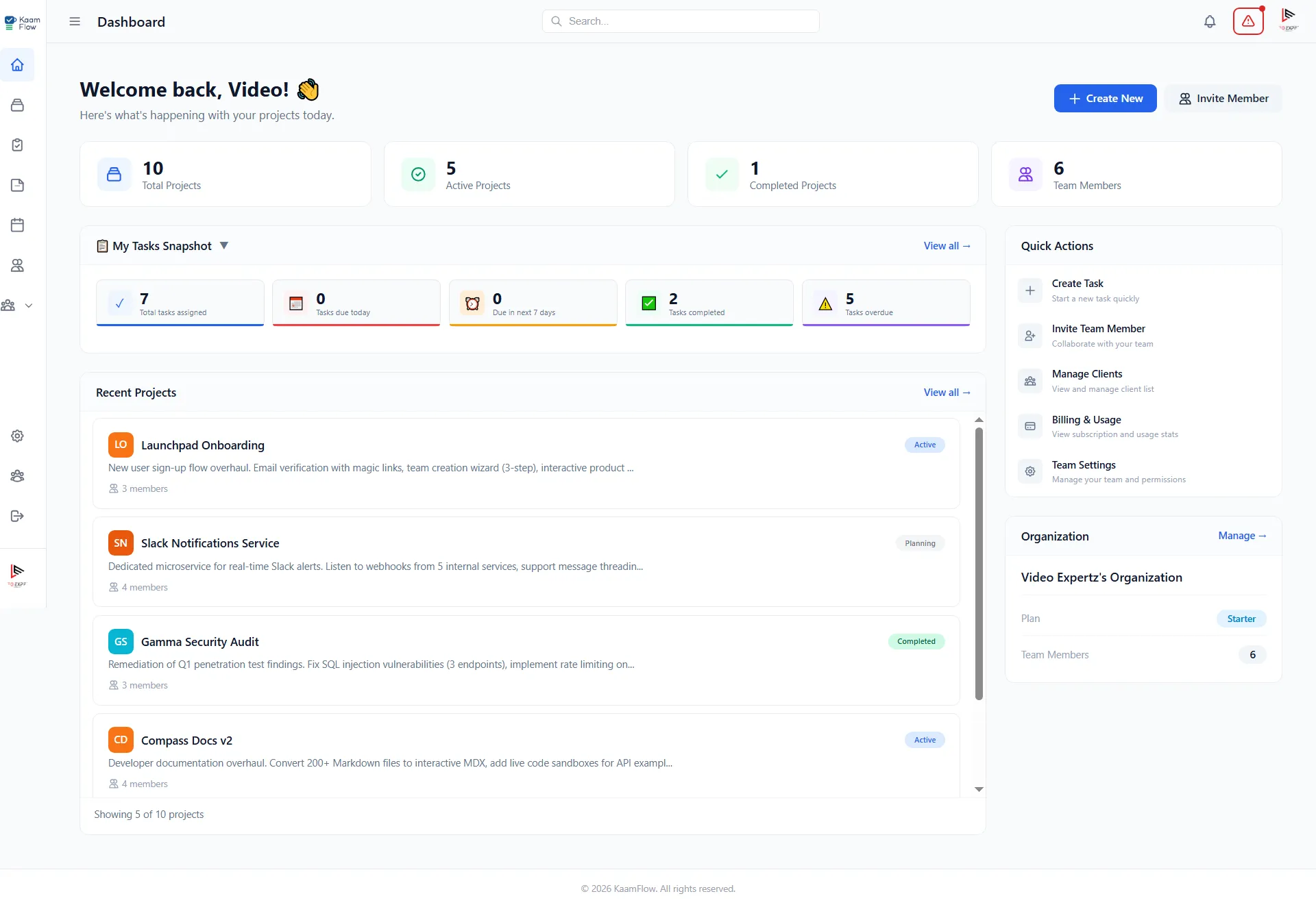
With a view like this, you're not digging for information. You open one page and immediately know what's happening across every client. Deadlines are visible upfront. You can quickly see what's waiting versus what needs work right now.
Make Projects Visible, Not Buried
When you have multiple clients, it's easy for a project to drift out of sight. You finish a big batch of work, send it for feedback, and then wait. While you're waiting, you move on to other projects. The original project sits in the background, and unless you deliberately check on it, you might not notice that the client's feedback came in three days ago.
This is one of the most common ways projects stall. Not because the work is difficult, but because the project becomes invisible.
One way to handle this is to have a view of all your projects that shows their current status at a glance. Not buried in a folder. Not in an email thread you have to search for. Somewhere you can see without digging.
A simple status for each project can help:
-
Active , you're working on it this week
-
Waiting , you're waiting on the client or someone else
-
Blocked , there's something preventing progress
-
Scheduled , it's upcoming but not urgent yet
When a project changes status, update it. If you're waiting on a client, note what you're waiting for and when you expect it. This way, when you look at your list, you know exactly what needs your attention. Some tools let you set these statuses directly on each project, making it easy to see where everything stands without having to open each one individually.
What Happens to Client Requests That Arrive Mid-Conversation?
A client mentions something during a call. A request comes through in a reply to a different thread. A stakeholder casually asks for "one more thing" in a meeting.
These are the tasks that get lost. They never make it into your system because they don't arrive as formal requests. They just land in your awareness and you intend to remember them.
Here's a useful practice: treat every client request as a task that needs to be recorded before you act on it. This doesn't mean creating a formal project document for every small thing. It means having a habit of capturing requests as soon as they appear.
If you're on a call and a client mentions a new requirement, write it down immediately. If you're reading an email and notice a request buried in the text, add it to your list. If you don't capture it, it will either be forgotten or it will live in your head, consuming mental space until you deal with it.
Knowing What to Work On Right Now
When you have multiple clients, deciding what to work on is one of the hardest parts of the day. Everything feels urgent. Every client thinks their project is the priority.
The key is to separate urgency from importance.
A client calling with an emergency is urgent. A deadline that's two weeks away is important. The two are not the same, and they require different responses.
A useful way to approach this is to look at your projects and ask what happens if a particular piece of work is delayed. Some delays are minor. Some have real consequences,a missed deadline, a client relationship strained, a follow-up payment held up.
Work that has real consequences should take priority over work that simply feels urgent because a client asked for it recently.
Recurring Work Alongside Larger Projects
Retainer clients, maintenance work, monthly reporting, ongoing support,these create a steady drumbeat of tasks that can easily crowd out larger project work.
The trap is treating recurring work as secondary, doing it quickly between bigger tasks, and never giving it proper space in your schedule. The result is that it takes longer than it should and you're constantly switching between it and other work.
One approach is to batch recurring work. Instead of doing small amounts for different clients each day, block out time in your week for recurring tasks. This reduces the number of times you have to switch context and makes it easier to track how long this work actually takes.
Switching Between Projects Costs More Than You Think
Every time you move from one project to another, there's a cost. You have to remember where you left off. You have to recall the context of the task. You have to get back into the right mental space for that particular type of work.
If you're switching between five projects in a single day, you're spending a significant amount of time just getting reoriented.
There's no way to completely eliminate context switching. But you can reduce its impact.
One practical approach: group similar work together. If you have design work for multiple clients, do it in a block. If you have client calls, schedule them back-to-back rather than spreading them through the day. This way, you're not jumping between completely different types of work as often.
The Waiting Game
A significant portion of project time is spent waiting. Waiting for feedback. Waiting for content. Waiting for approval. Waiting for a decision.
The risk is that while you're waiting, you forget to check back. The client assumes you're working on something else, and you assume they'll come back to you when they're ready. Days pass, and nothing happens.
A useful habit is to track what you're waiting on for each project, and when you expect to hear back. If a client hasn't responded by the expected date, you have a follow-up task ready to go.
This doesn't need to be complicated. A note next to the project that says "Waiting on design feedback,expected by Friday" is enough. When Friday comes, you know to check in. If you're using a tool that supports it, you can mark what you're waiting on and set reminders to follow up, so nothing slips through the cracks.
Deadlines and What They Actually Mean
When you're managing multiple clients, deadlines are often set by the client. You might have some input, but often the date is fixed from the start.
The problem is that you might have several deadlines that are in conflict. The work for Client A is due next Wednesday, and the work for Client B is due next Thursday, and you only have so many hours in between.
Rather than hoping it works out, it's useful to look ahead regularly,not just at the current week, but at the coming weeks. If you see a conflict forming, you can address it early. This might mean negotiating a deadline with a client, starting work earlier, or reallocating time.
The earlier you see these conflicts, the more options you have.
Projects That Are Active vs. Projects That Need Attention
Here's a distinction that helps: a project can be active without needing your attention every day.
If you're waiting on a client for something, the project is still active. But you don't need to work on it right now. It just needs to be on your radar so you know when to pick it up again.
This is different from a project that requires daily work. Knowing which projects fall into which category helps you allocate your time more effectively.
If you treat every project the same way, you'll spend too much time checking on things that are already moving and not enough time on the work that actually moves them forward.
What Needs to Happen Next
For each client project, there's always a next step. Sometimes it's a task you need to complete. Sometimes it's an email you need to send. Sometimes it's waiting for something to happen.
Knowing what the next step is for each project saves you from having to figure it out every time you switch between projects. It removes the friction of "what was I supposed to do next?"
This doesn't mean planning every detail of a project weeks in advance. It means having a clear answer for yourself: what's the next thing that needs to happen for this project to progress? When you have that visibility, you can prioritize effectively without constantly reopening every project to remind yourself where things stand.
The Problem with "I'll Remember That"
Most of the overwhelm that comes with managing multiple clients is avoidable. Not because the work isn't demanding, but because we rely too much on our memory when we don't need to.
If you have a reliable system,even a simple one,you reduce the amount of information you have to hold in your head. You don't have to remember every task, every deadline, every follow-up. You just need to remember to check your system.
That's the shift that makes a difference. Instead of trying to keep everything in your head, you keep it somewhere you can see, and you use your head for actual thinking.
When a Project Is Becoming a Problem
Managing multiple clients means you can't spend all your time on one project. You have to distribute your attention. But that also means you might not notice when a project starts to drift off course.
There are early signs that a project is at risk. Deadlines that keep being pushed. Feedback that takes longer than expected. Client communication that becomes unclear or inconsistent. Scope that expands without clear agreement.
The earlier you spot these signals, the easier it is to correct course. This is why visibility matters. If you're looking at your projects regularly, you'll notice the patterns before they become emergencies.
Conclusion
Managing multiple client projects is not about being naturally organized or having some secret technique. It's about building a workflow that reduces the mental load of remembering everything. The work is hard enough without having to also remember what every client expects, when every deadline is, and what you were supposed to follow up on.
A good system tells you:
-
Which projects need your attention today
-
Which projects are waiting on someone else
-
Which deadlines are approaching
-
What needs to happen next
When you have that visibility, you stop reacting to whatever is most urgent and start actually managing the work.
The goal isn't to be perfect. The goal is to make it easier to see what's happening across all your clients, so you can decide where your time is best spent.